Jobs from simPRO
Open simPRO jobs (pending and in progress) are copied in with their customer, site, stage and project manager, and an admin can sync them on demand.

Open simPRO jobs are copied into AccurateHR, so the job pickers on timesheets and safety reports are current. Raise a purchase order against a job without leaving the app.
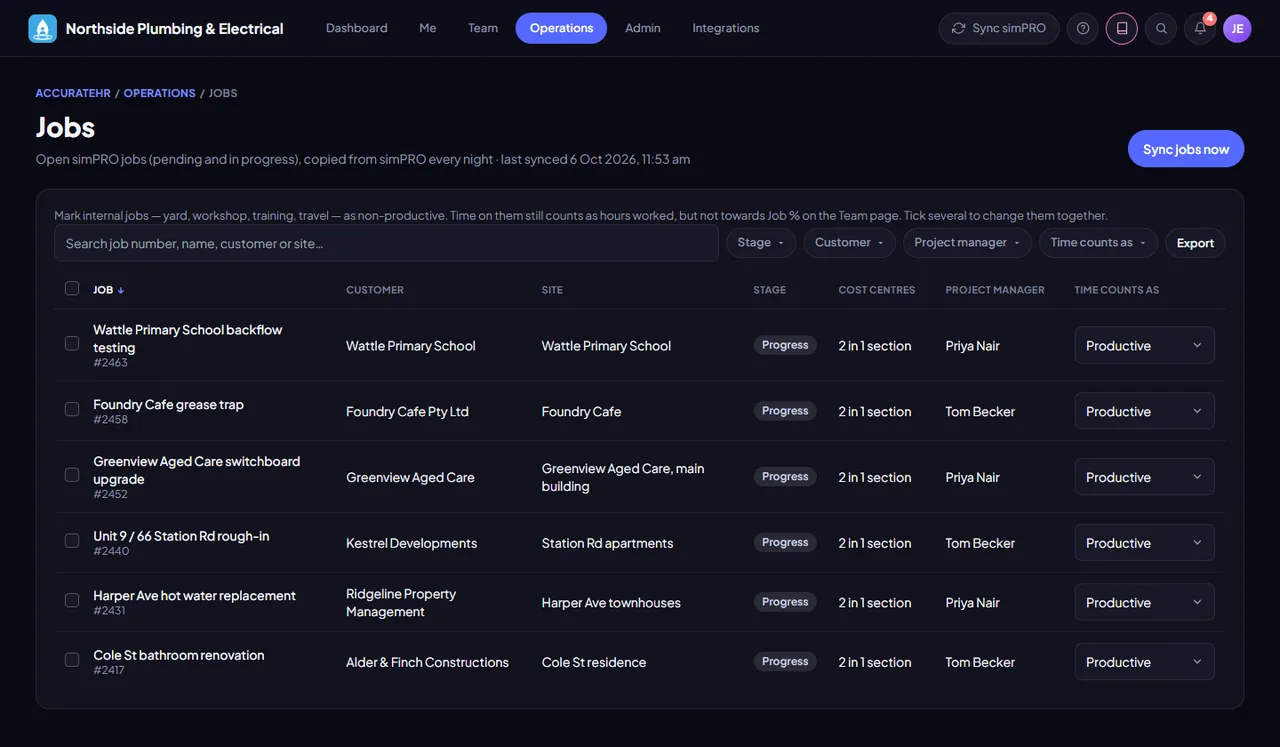
Open simPRO jobs (pending and in progress) are copied in with their customer, site, stage and project manager, and an admin can sync them on demand.
A job’s leaders are its simPRO project manager, when they are a manager or admin here and linked to their simPRO record, plus any managers or admins an admin adds. Leaders see the crew, hours and schedule for their jobs on the Team page, and approve timesheets for people grouped by jobs.
An admin can mark internal jobs, such as yard, workshop, training or travel, as non-productive. Time on them still counts as hours worked, but not towards the job percentage on the Team page.
Raise a purchase order number in simPRO against a job cost centre from inside AccurateHR, from the Purchase orders screen or the POs tab of the Field view. The materials are added in simPRO when the goods are received.
While the self-service switch is on, which it is by default, staff can raise purchase orders and only ever see the ones they raised.
Your supplier list is copied from simPRO, so the purchase order starts from the right supplier.
Needs simPRO connected. simPRO is being prepared for customers, so talk to us before you plan around it.
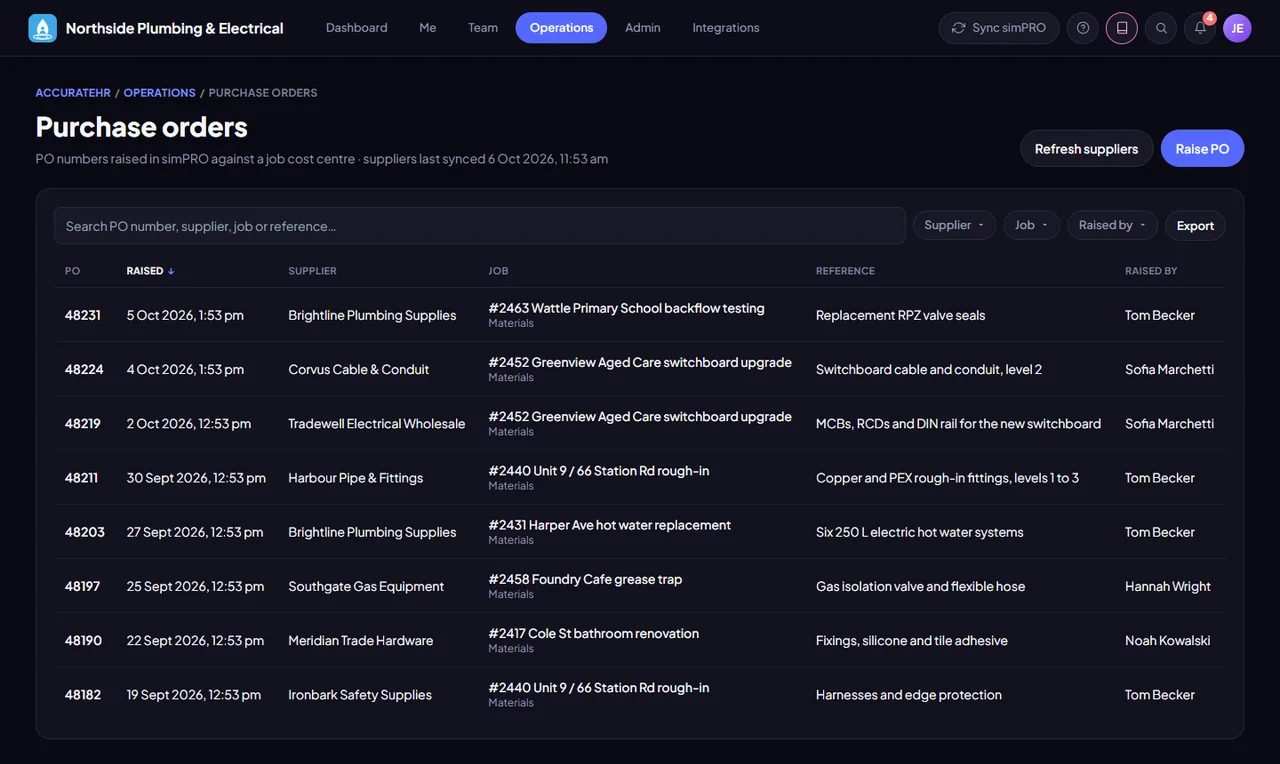
See jobs and raise purchase orders.
Set job leaders and mark jobs as productive or not.
Raise purchase orders when you allow it.
Tell us about your business and we will get you set up with AccurateHR.