A planning board
Days across, jobs down. Drag people and plant onto a job for a day, or on a touch screen tap one and then tap the day.

Drag people and plant onto your jobs, day by day. Staff see a day once you publish it, and are told if it changes.
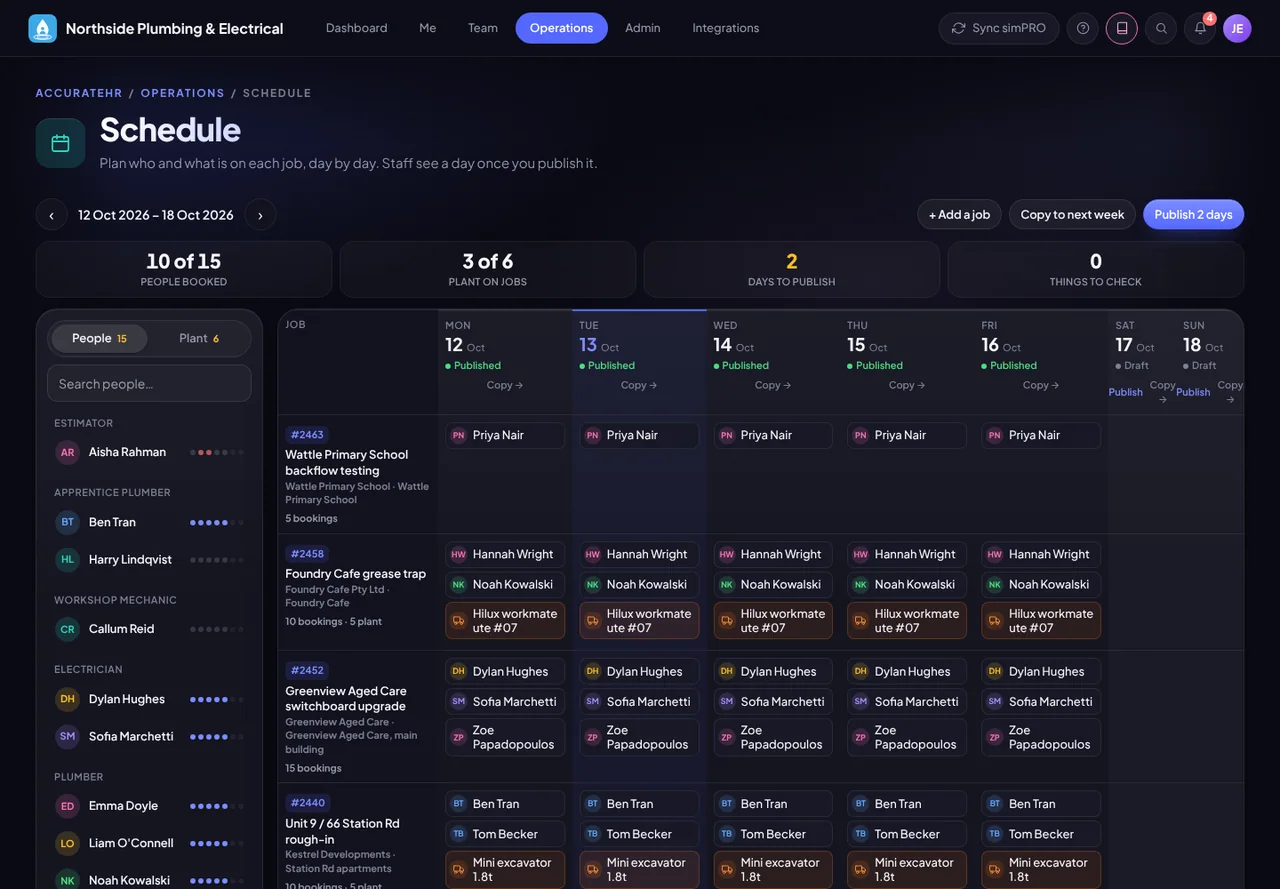
Days across, jobs down. Drag people and plant onto a job for a day, or on a touch screen tap one and then tap the day.
The board warns you about approved leave, double-booking, plant that is out of service and people who are no longer active.
A day stays hidden from staff until you publish it. After that, changes to the day show to staff straight away, and the people affected are told the next time you publish.
Copy a day onto the next day, or a week onto the next week. People and plant already on a job stay where they are.
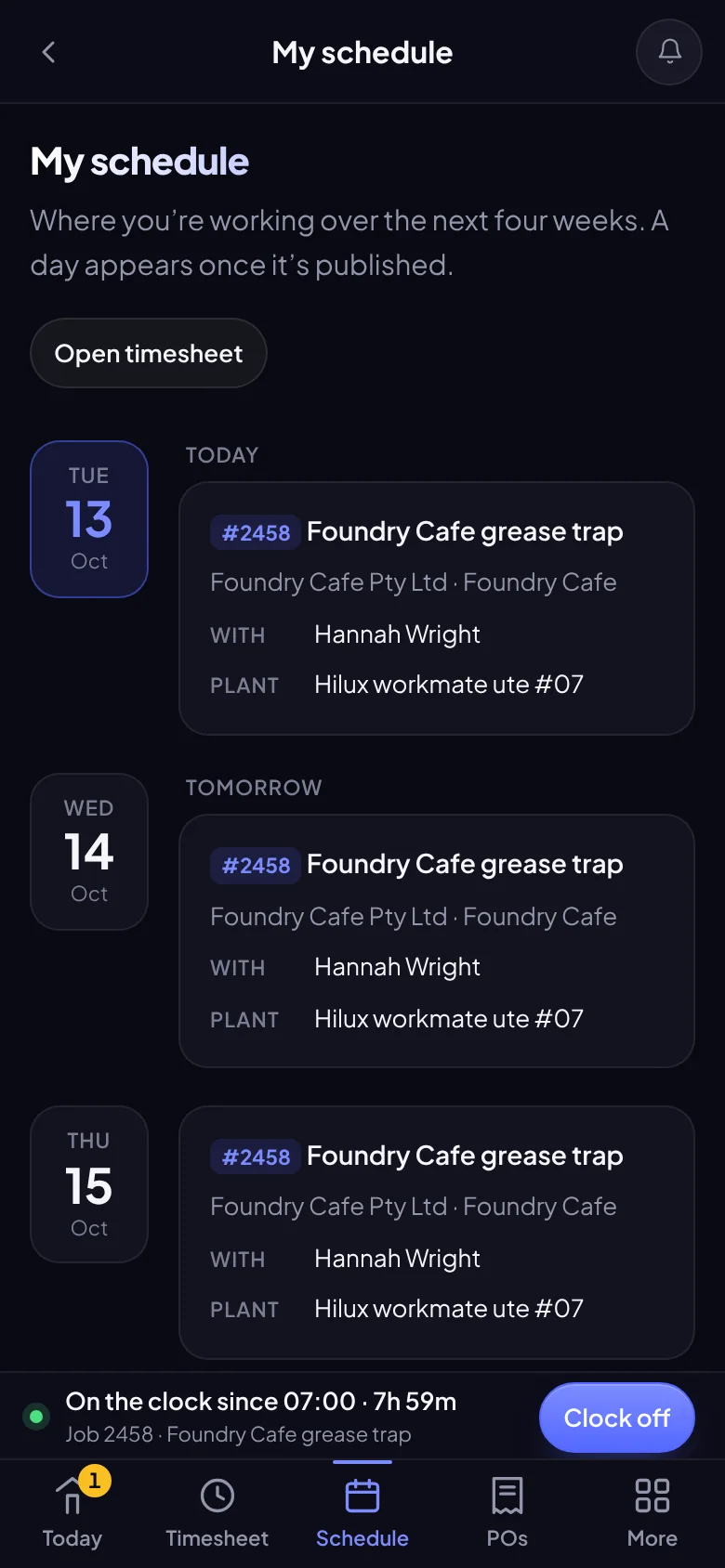
Each person sees their own published days for the next four weeks: the job, who else is on it and which plant.
The timesheet’s job picker offers the jobs you are scheduled for, so the right job is one tap away.
The schedule plans the job, the person and the day. Section and cost centre stay the staff member’s choice on the timesheet, and nothing is written to simPRO.
The jobs you plan against are your simPRO jobs, so simPRO needs to be connected. simPRO is being prepared for customers, so talk to us before you plan around it.
Plan everyone and publish the week.
Plan their own team, and anyone on a job they lead.
See where they are working and with whom.
Tell us about your business and we will get you set up with AccurateHR.