Your own simPRO, your own sign-in
Each customer connects its own simPRO from Settings and signs in on its own simPRO build. AccurateHR never sees your password, and what you connect is used for your account alone.

AccurateHR is the master record for your people. Their details, licences, approved leave and approved time go to simPRO, and jobs, suppliers and schedules come back.
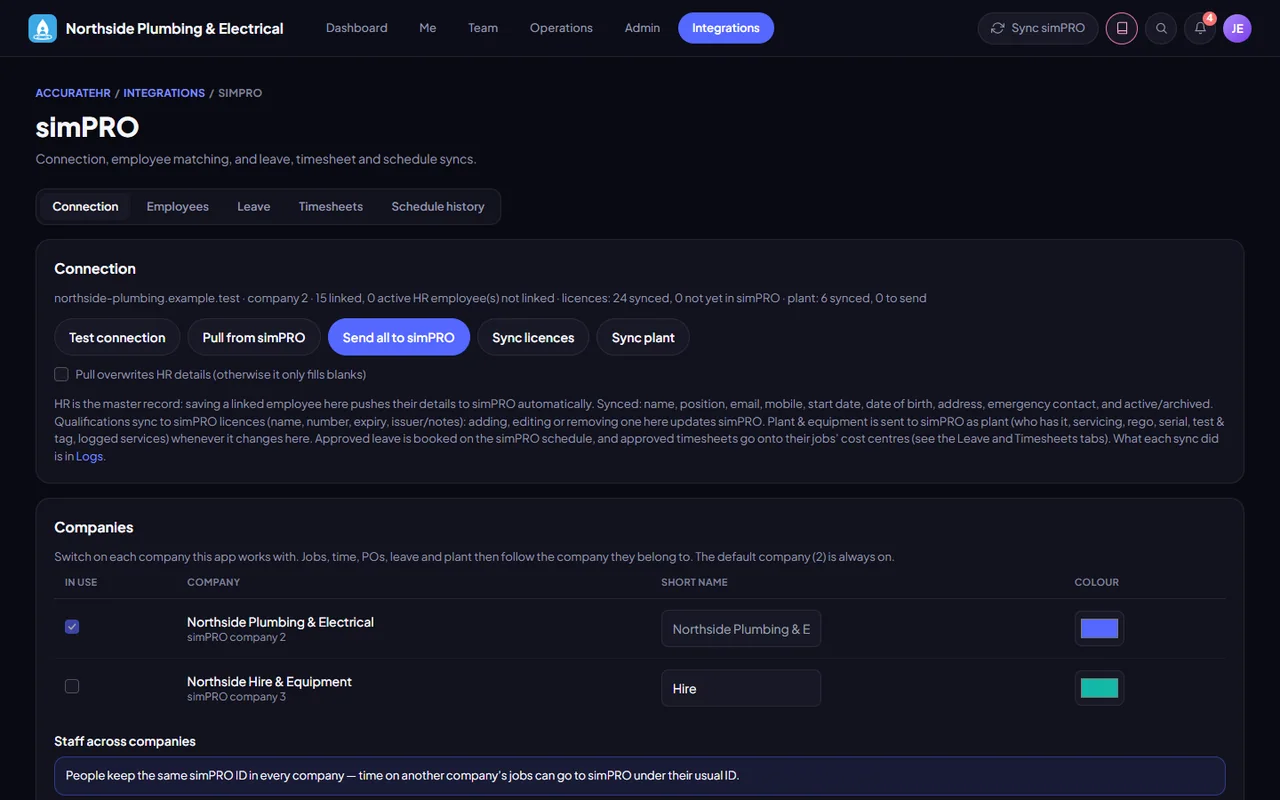
Each customer connects its own simPRO from Settings and signs in on its own simPRO build. AccurateHR never sees your password, and what you connect is used for your account alone.
Employee details are sent when you save them. Licences with their scans, plant, approved leave and approved time follow: leave is booked as a leave activity, and time goes to the job’s cost centre, split into ordinary time and overtime.
Open jobs with their sections and cost centres, suppliers, schedule rates, activities and each person’s schedule history are read in. Open jobs are read again every hour from 6 am to 6 pm, Monday to Saturday, and everything else, such as suppliers and the last six weeks of schedules, once a night.
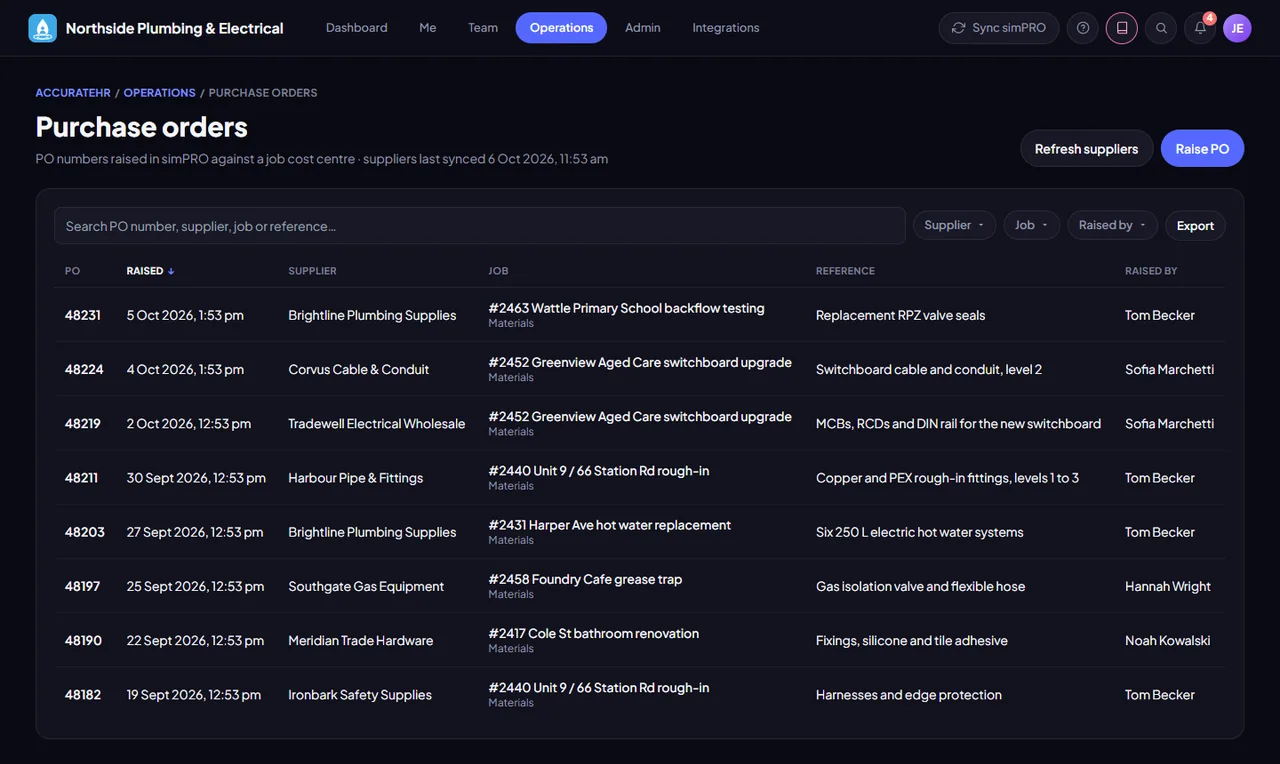
Pick the supplier and the job’s cost centre, on the Purchase orders screen or in the Field view on a phone, and the purchase order number comes back from simPRO straight away. This is new: the first purchase orders are still being proven against simPRO.
Approved expense lines charged to a job, and approved allowances, are recorded on the job’s cost centre as a one-off cost. It counts in the job’s cost and profit and is not billable, so it never reaches the customer’s invoice.
A cost is sent as soon as it is approved and again in the nightly sync. One that changes afterwards is corrected in simPRO, and one taken back is removed. If simPRO refuses one, such as a closed or invoiced cost centre, the reason is kept and an admin can send it again under Job costs.
Nothing syncs until you have chosen the company in your build. Until then approved time, leave, licences and job costs wait, and they go once you are connected.
Logs lists every sync and anything it could not do. Its Problems tab lists things that failed in the background where nobody was looking.
simPRO is being prepared for customers, so talk to us before you plan around it. simPRO grants API access for each build, so each customer first asks for it in simPRO (Request API access, then Build something myself). simPRO emails you when it is active, usually within a day, and you paste the client ID and secret in once.
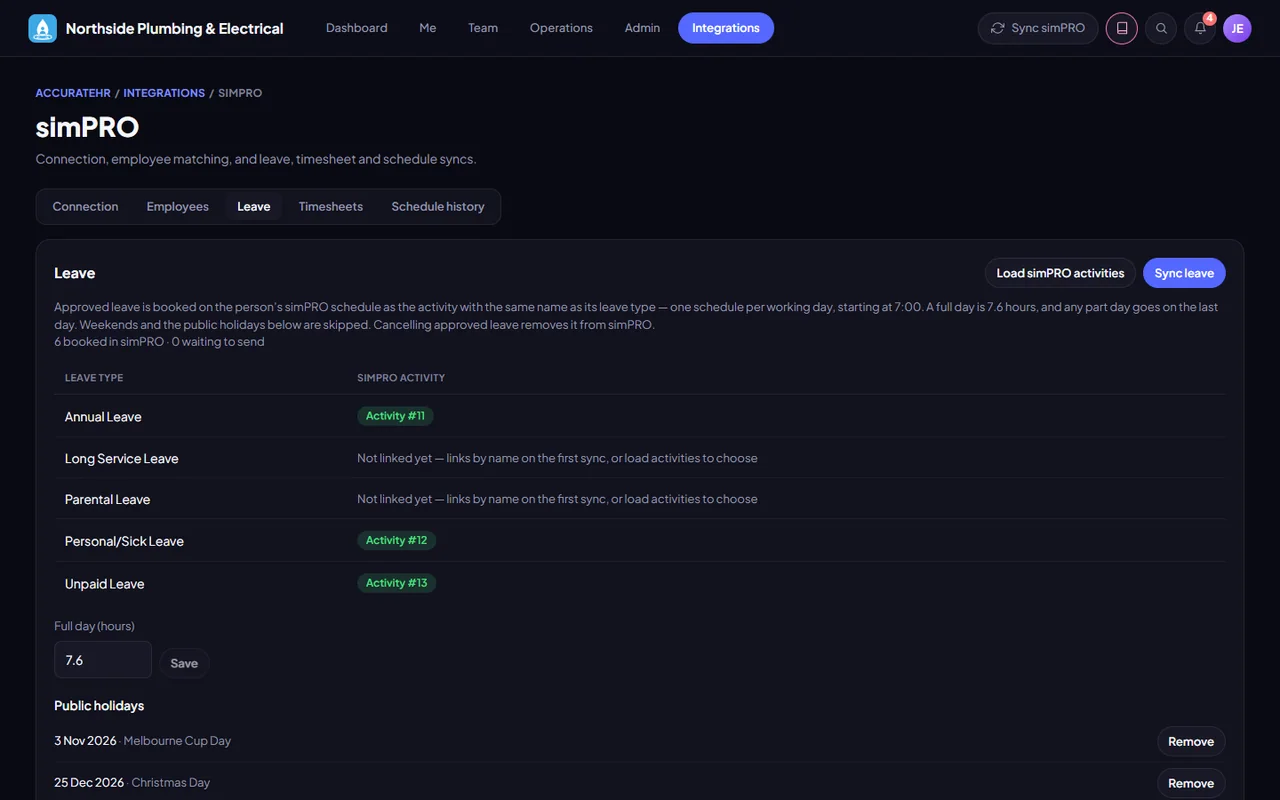
Connect the company’s simPRO from Settings, match employees, link leave types to simPRO activities and read the sync log.
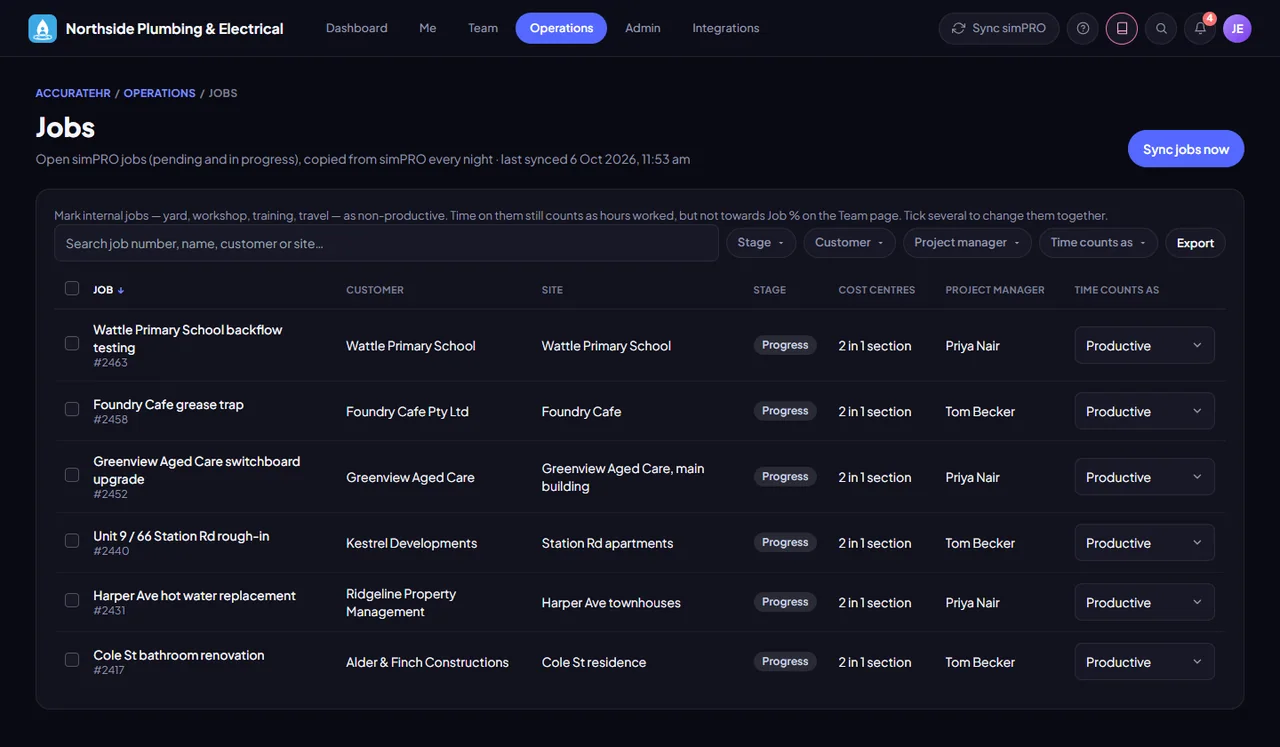
See open jobs and raise purchase orders.
Pick their jobs when they add time, and raise a purchase order from the phone where their access level allows it.
Jobs come from simPRO, and approved days go back to it as time on the job’s cost centre.
See the screensApproved leave is booked in simPRO as a leave activity, and removed if it is cancelled.
See the screensLicences, with their scans, are sent to simPRO when they are saved.
See the screensTell us about your business and we will get you set up with AccurateHR.