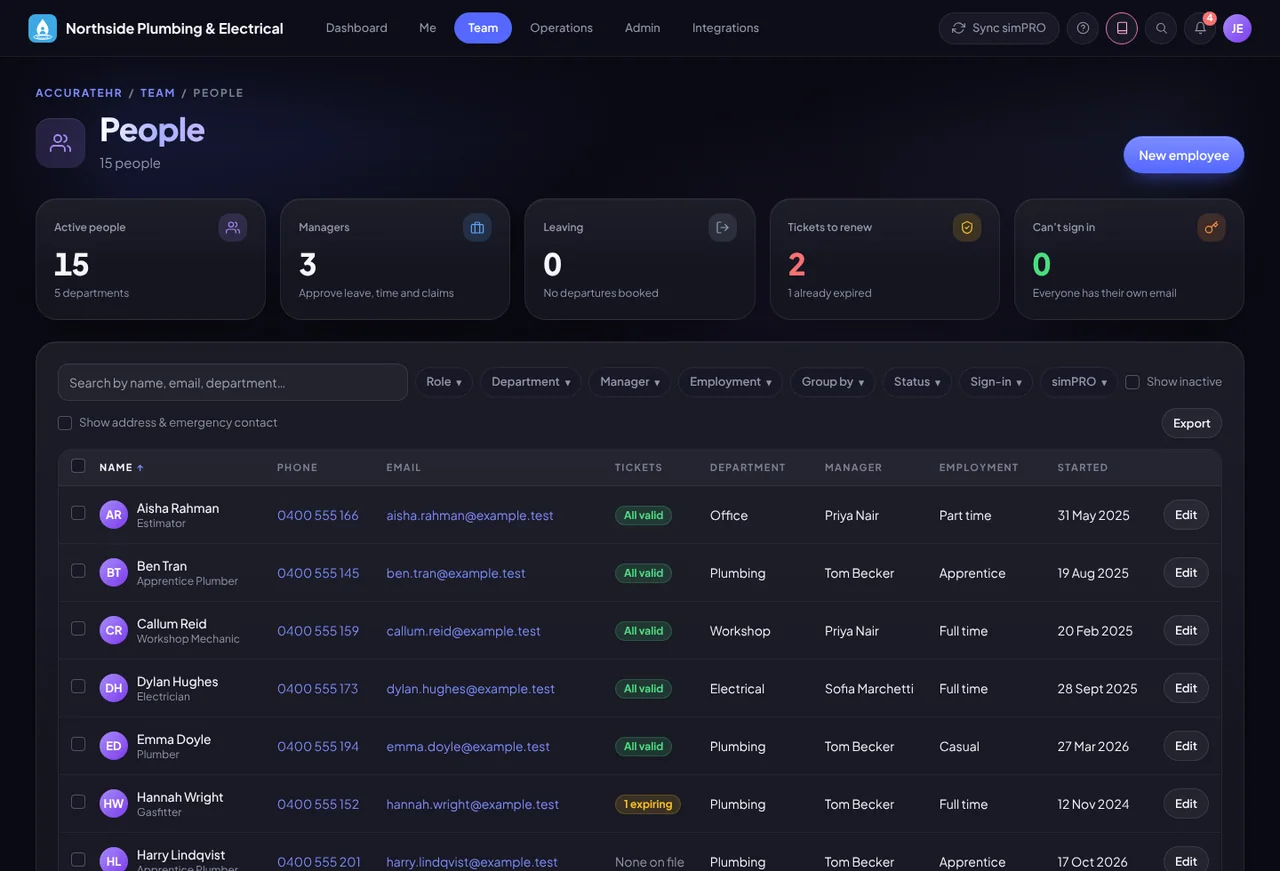
One record per person, and the right managers for each.
Everyone has one profile that brings together their leave, time, tickets, assets, expenses, goals and latest review. Set who reports to whom, and managers see and approve for their own team.
The people directory: everyone in the company with their manager, ticket status and start date. A screen from the app, showing made-up sample data.
What it does
People and teams, in practice.
One profile per person
Leave, time, qualifications, assets, expenses, goals and the latest review on a single page. Admins also see the person’s documents, and managers see how many are on file. Tap-to-call, tap-to-email, tenure, emergency contact and a map link for the address show where they are on file.
Roles and managers
People are employees, managers, admins or owners, and a mechanic role opens the workshop screens. Who reports to whom decides what a manager can see and approve.
More than one manager
Someone shared across jobs can have extra managers, who all see them on their Team page and can approve. The main manager still gets their reviews and one-on-ones.
Group people by their jobs
Admins can set someone to follow their jobs instead of their manager. Their schedule, hours and timesheet approval then go to the leaders of the jobs they worked on (a job’s simPRO project manager, or a leader you name). If none of those jobs has a leader, their manager approves. Their manager keeps leave, expenses and reviews.
Logins and PINs
Admins can email someone their login details, once email is set up, or reset their PIN, from their record.
The Team page
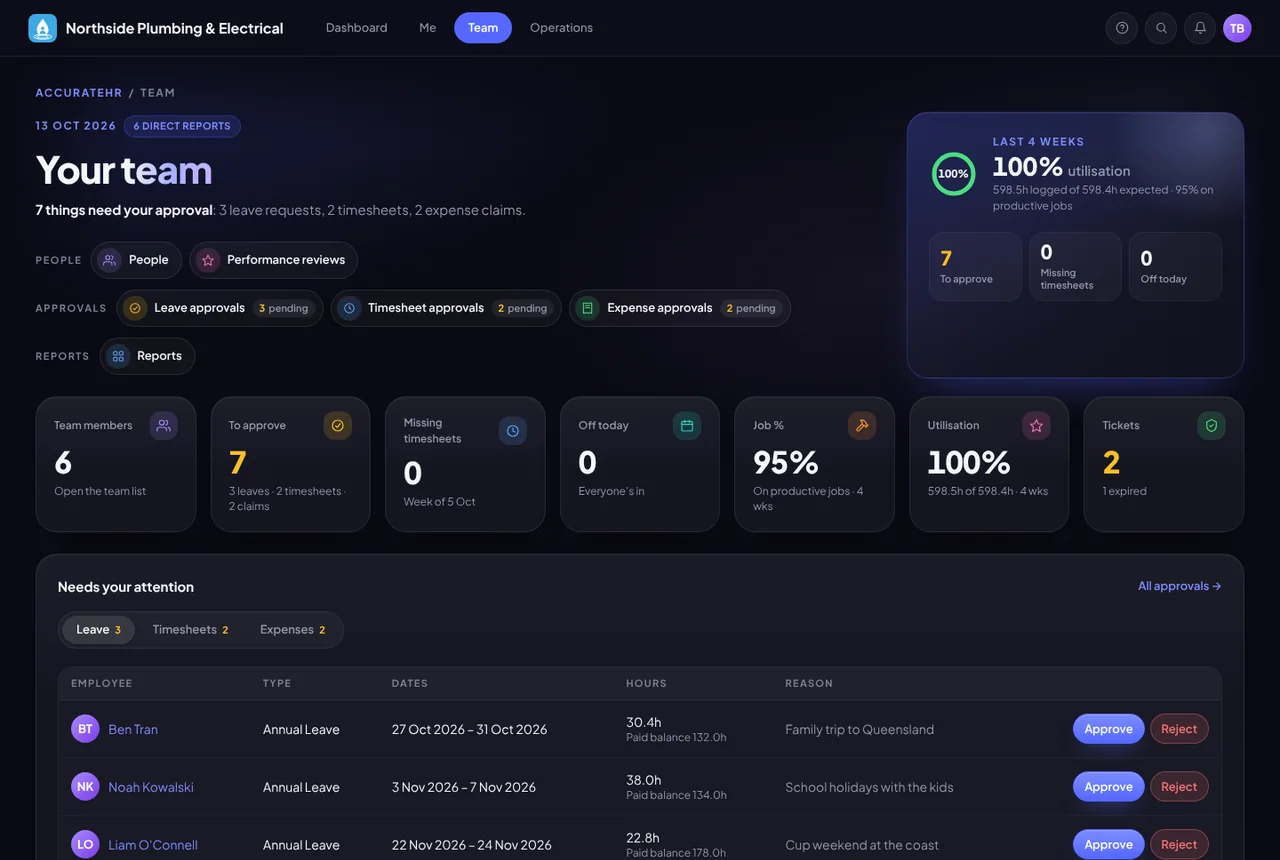
A manager sees their direct reports, the leave, timesheets and expenses waiting for approval, and who needs attention.
Job-costing rates, admins only
Record each person’s hourly cost, on-costs, overhead recovery and sell price. Only admins can see them. For people linked to a simPRO employee, the first three are sent to simPRO, and the sell price stays in AccurateHR.
More screens
A closer look.
A manager’s Team page: direct reports, approvals waiting and who needs attention.
Who uses it
The right view for each person.
Managers
See and approve for their direct reports.
Admins and owners
See everyone and set up roles, managers and logins.
Staff
See and update their own details, if you allow it.