Who holds what
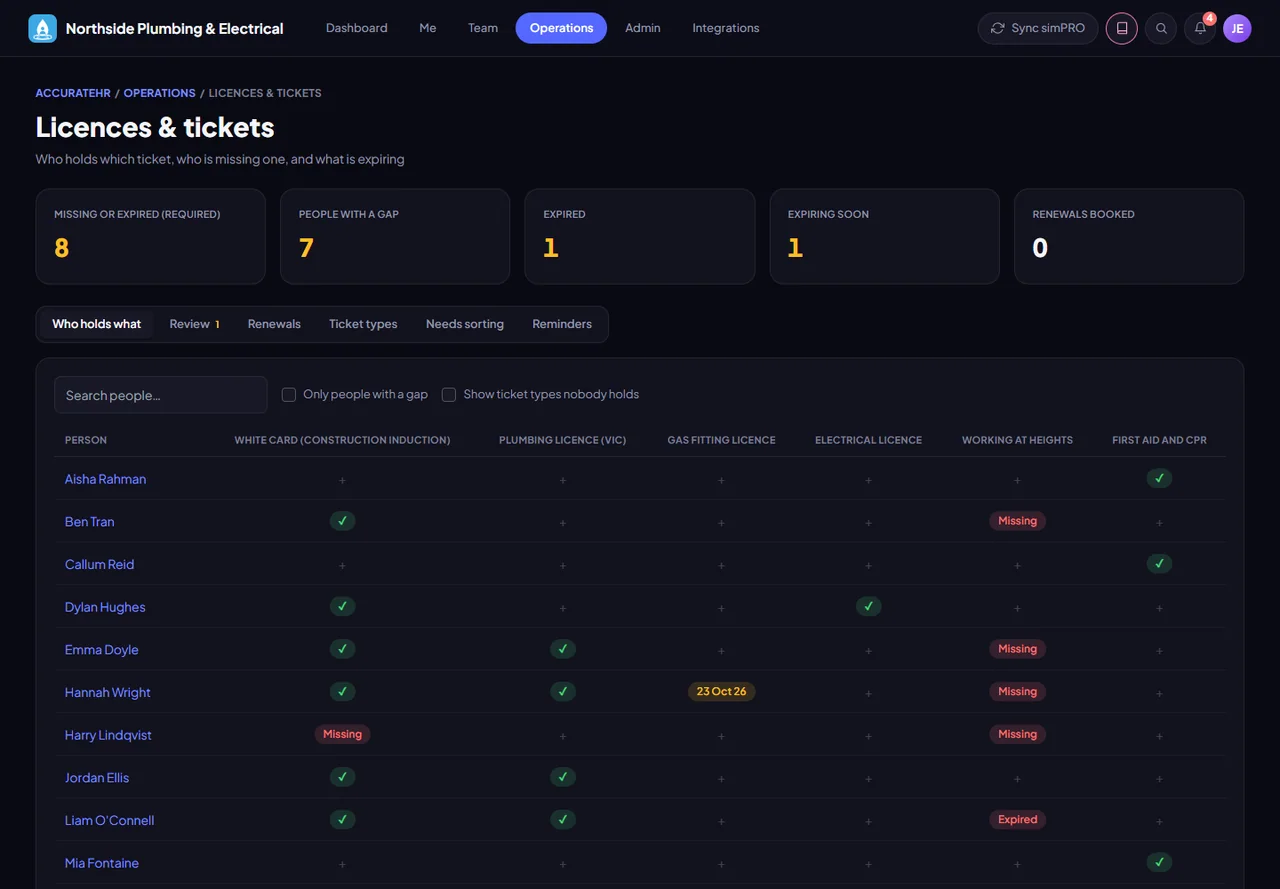
One grid shows which tickets each role must hold, who actually holds them and where the gaps are. Admins set the ticket types and the requirements.
- Requirements by role, department or person. A requirement can be for a role, a department or a single person, and the gaps show up as soon as you add it.
- Filters that work together. Search by name and pick a department, an employee type, a kind of ticket (licence, ticket, certification or other), one ticket, or a status: Missing, Expired, Expiring soon, Renewal booked or Current. Plumbing and Expired lists the plumbers with an expired card.
- Only people with a gap. This shows people missing a ticket they must hold, or whose required ticket has expired. A line beside the filters says how many people are showing, and Clear filters puts everyone back.
- Figures that count everyone. The filters only change what is on screen. The figures above the grid still count everyone.
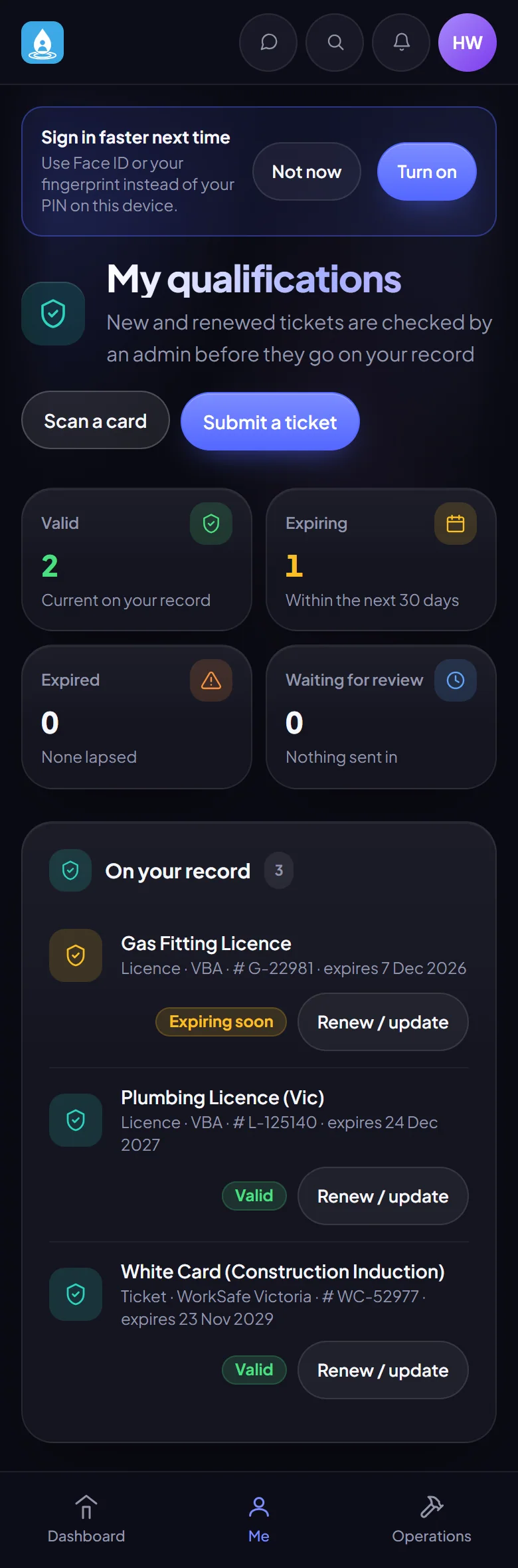
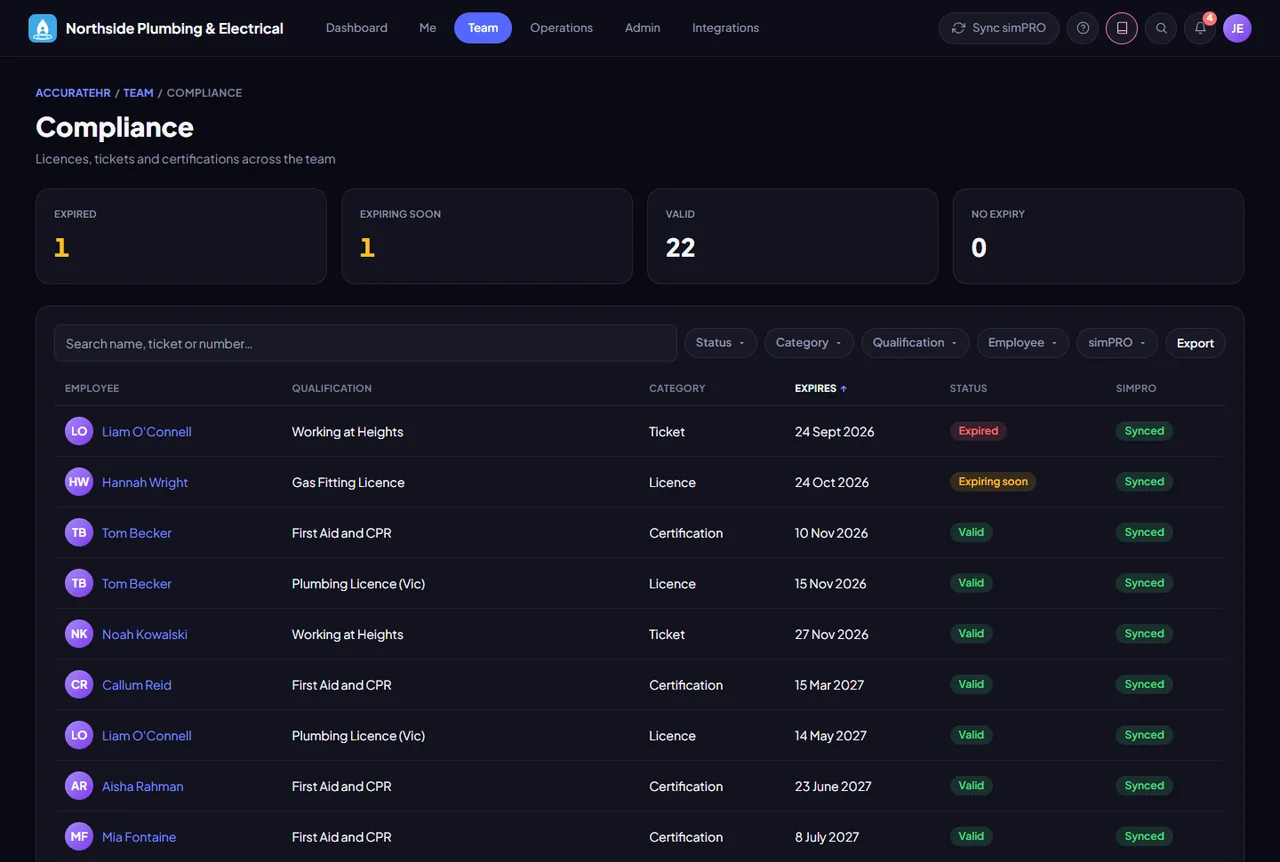
- Expiry at a glance. The dashboard shows how many tickets expire in the next 30 days, and the grid and Compliance pick out cards that are expired or expiring soon.
- Other names for a ticket type. A ticket type can have other names it is known by, so free-text names on older records match the right type. Duplicate copies its category and who must hold it, but not what it also counts as, so two types never claim the same cards.