Jobs and purchase orders
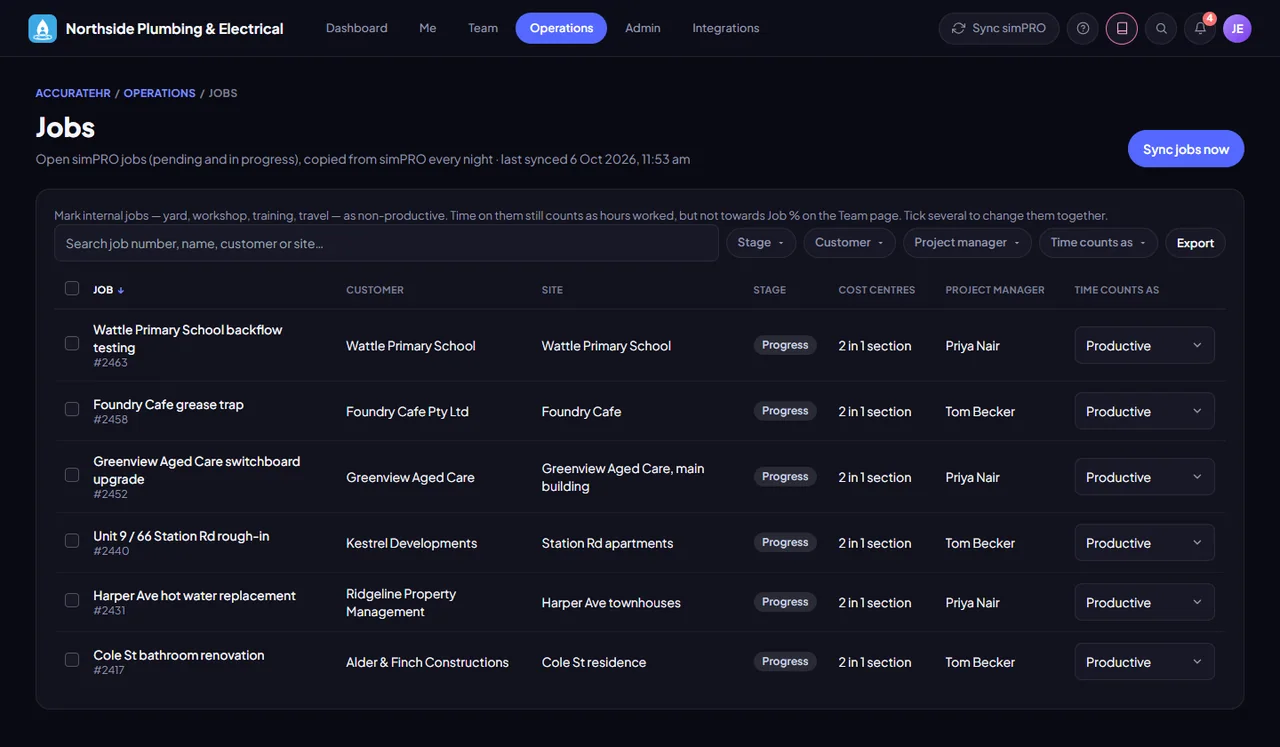
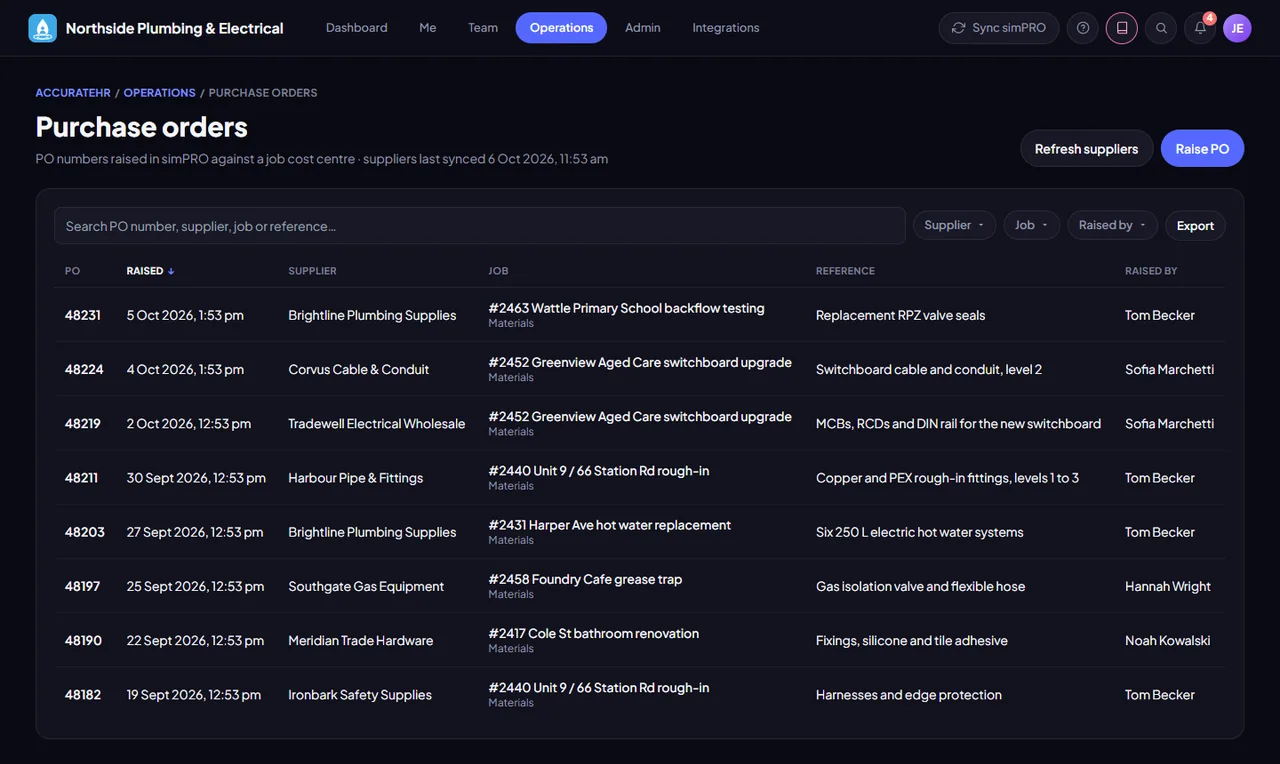
A copy of your open simPRO jobs, with their sections and cost centres, brought up to date every hour from 6 am to 6 pm, Monday to Saturday, and once more overnight. Purchase orders are raised in simPRO from the app, and the number comes straight back.
- Jobs with their numbers. The Jobs list shows each job’s customer order (PO) number, its value and how much has been claimed so far, as simPRO held them at the last sync. Search finds a job by its PO number too.
- Job leaders. A job’s simPRO project manager leads it, and admins can add other leaders or ignore the simPRO one, a job at a time or in bulk. Leaders see the crew and hours for their jobs on the Team tab.
- Set the project manager here. Set a job’s project manager in the app, on one job or on many ticked jobs at once. Only a manager or admin can be picked, and nothing is written to simPRO.
- Raise a purchase order. At the merchant, open POs, pick the job, the supplier and the cost centre, and the PO number appears, ready to copy for the counter. The supplier list is copied from simPRO.
- Staff can raise them too. The standard Employee level raises purchase orders from the phone and only ever sees the ones they raised, while Manager and Admin see everyone’s. The level can be changed under Access levels.
- Productive or not. Admins can mark internal jobs, such as the yard, the workshop or training, as non-productive. Time on them still counts as hours worked, but not as productive time in the productivity figures.
Good to know
Jobs and purchase orders come from simPRO, which is being prepared for customers, so a company without it has no jobs to work with yet. Changing a job, such as its leaders, its project manager or whether its time counts as productive, is for levels that can change jobs: the standard Admin level can, and Manager cannot. Raising purchase orders from the app is new, and the first ones are still being proven against simPRO.